Picture this. It’s late. Your client wants new SEO titles on twenty posts by morning, a plugin update has been sitting in your dashboard for a week, and you’ve been staring at the same screen since dinner.
Then you remember you pay for Claude or ChatGPT. They could do this in minutes.
But your hand stops over the mouse. What if the AI changes the wrong page? What if it publishes something half-finished? What if you can’t tell what it touched?
That hesitation is the reason this Black Friday post exists. And it’s why the smartest WordPress Black Friday 2026 deal might be the confidence to finally let AI help while you keep control of your site.
When are the WordPress Black Friday 2026 deals?
Let’s get the dates out of the way, because planning matters more than panic buying.
- Black Week begins Monday, November 23, 2026.
- Black Friday is Friday, November 27, 2026.
- Cyber Monday is Monday, November 30, 2026.
Many WordPress vendors launch early and stretch sales into December, so you don’t need to refresh pages at midnight. What you need is a short list of what actually earns a place on your site.
Why AI and WordPress suddenly belong together
WordPress 7.0 added a built-in AI Client in May 2026. The Abilities API, which first appeared in WordPress 6.9, gives plugins a standard way to describe what a site can do. The separate WordPress MCP Adapter can expose those abilities to AI apps.
MCP, short for Model Context Protocol, is a standard AI apps use to connect to outside tools. Think of it as a universal plug. Claude, ChatGPT and Cursor can use it to connect to WordPress.
The exciting part is obvious. A powerful connection with too few safeguards is also how people end up restoring from backups at 3 a.m.
The real cost of “just let the AI do it”
One bad draft going live on a client’s homepage can cost trust that took years to build. Even if nothing breaks, “I think the AI changed some stuff” is a hard sentence to say to a client.
When you compare Black Friday WordPress plugin deals, check how each plugin handles publishing and what record it keeps of changes.
What MCPMate does differently
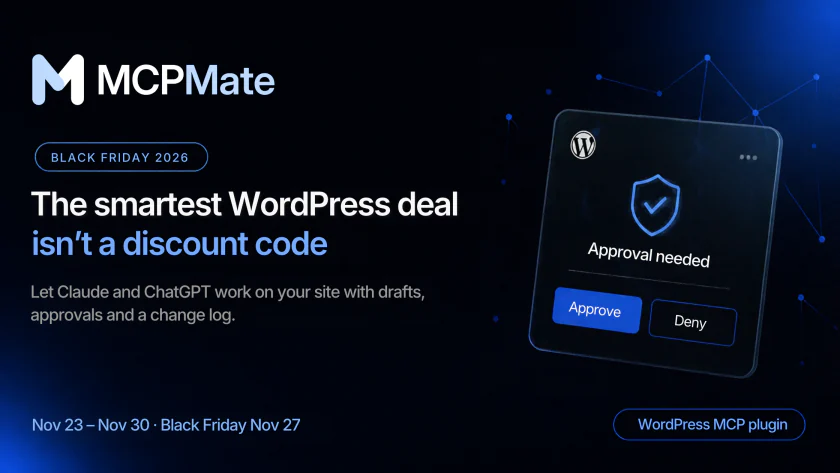
MCPMate is a WordPress MCP plugin that connects your AI app to your site. You choose which tools the AI can use. Sensitive changes wait for your approval, and the Activity screen gives you a record of what ran.
New content stays in drafts
MCPMate’s built-in tools save new content as drafts. Publishing stays your decision in WordPress.
Removed content goes to the trash
MCPMate’s built-in tools use the WordPress trash for removals, where you can review or restore the content.
Big changes ask you first
Plugin updates, theme switches and site-wide text replacements wait for your approval in wp-admin. Each request shows what will run, includes a preview and expires after 15 minutes. Approval happens in wp-admin while you’re signed in. See the WordPress AI approval workflow.
Supported edits keep a before-and-after record
The Activity screen records details such as the WordPress user, tool call, arguments, result and duration. Supported changes store before-and-after values, so you can see exactly what to put back.
One switch pauses every connection
Pause AI access stops every connected app at once. Read mode lets those apps inspect your site while blocking writes.
Connect with your existing WordPress account
The standard setup uses your own site’s MCP address and approval inside WordPress. You can connect through the setup wizard with your existing WordPress account.
What you can actually ask your AI to do
Features sound abstract until you picture a real Tuesday. Here are five ways to try the WordPress plugin with Claude or ChatGPT.
- “Give me a health summary of my WordPress site.” This is a read-only site check.
- “Which plugins have updates waiting? Update WooCommerce.” Review the request in Activity → Approvals before it runs.
- “Write better SEO titles and descriptions for my five newest posts.” MCPMate supports Yoast, Rank Math, All in One SEO and SEOPress. The audit record lets you review what changed.
- “Make a copy of my theme with a darker header and send me a preview link.” Review the result in a theme draft.
- “Build a landing page for our spring sale in Elementor.” Review the page as a draft in WordPress.
The prompt library has starter recipes marked read only, writes, or needs approval.
Who gets the most out of this Black Friday?
Freelancers and agencies
You juggle many sites and little time. Logs and approvals help you delegate routine work and answer client questions about what changed.
WooCommerce store owners
Stores can’t afford surprises. Drafts and approval steps give you time to check a proposed change while real orders keep coming in.
Solo site owners and bloggers
When you maintain the site yourself, start with a read-only check. You can review the results before giving an AI app permission to write.
MCPMate Black Friday 2026 offer details
The sale runs November 17 to December 5, 2026. The discount applies automatically at checkout during the promotion, with no coupon required.
| Plan | Sites | Regular | Black Friday | Savings |
|---|---|---|---|---|
| Free | Unlimited sites | $0 | $0 | — |
| Starter | 5 sites | $59per year | $49per year | $10(17%) |
| Agency | Unlimited sites | $139per year | $99per year | $40(30%) |
| Starter Lifetime | 5 sites | $199one-time | $149one-time | $50(25%) |
| Agency Lifetime | Unlimited sites | $249one-time | $199one-time | $50(20%) |
What every paid plan includes
Starter and Agency include MCPMate Pro features such as memory, custom AI instructions, playbook management, and write actions for supported plugins. Annual plans renew yearly. Lifetime plans are one-time purchases. See pricing and licence terms for current availability and renewal details.
Which plan fits you?
Start with Free to run a read-only prompt and see the result in your Activity log. Starter covers 5 sites. Agency covers unlimited sites, which is useful if you manage a roster of clients. Both paid plans have annual and lifetime options.
How MCPMate compares with other WordPress MCP options
The WordPress MCP plugin comparison covers MCPMate, WPVibe, Novamira and Easy MCP AI, with sources and the date each claim was checked.
MCPMate’s standard setup connects your AI app directly to your WordPress site. Its built-in tools save new content as drafts, and sensitive actions require approval. When comparing alternatives, look at where each one runs, what it can do on a live site, and what it records after a change.
A 10-minute checklist before you buy a WordPress plugin
- Do I need it this year? A big discount on something unused is still money gone.
- What does it cost at renewal? Check whether the advertised price applies to the first term.
- How many sites does the licence cover? Count the client sites you expect to manage.
- Can I see what it changed? Find out what the log records and whether it keeps earlier values.
- Does it ask before big changes to plugins, themes or live content?
- Does it work with my SEO plugin, page builder and AI app?
- Does my site meet the requirements? MCPMate needs WordPress 6.0 or later, PHP 7.4 or later, HTTPS, non-Plain permalinks and an administrator for setup. Other plugins’ actions through the Abilities API need WordPress 6.9 or later.
- Who pays for the AI? You use your own Claude, ChatGPT or other app, billed by its provider.
How to get started in three steps
- Download MCPMate Free. In wp-admin, open Plugins → Add New and upload the ZIP.
- Activate the plugin and follow the setup wizard to check your hosting.
- Connect your AI app. Follow the guides for Claude, ChatGPT, Cursor or Claude Code.
Try a read-only prompt first and watch it appear in your Activity log. Seeing the request and its result in WordPress makes it easier to decide what to hand over next.
Final thoughts
Black Friday rewards people who plan. This year, ask how you can save hours while keeping control of the WordPress site you’ve built.
Start with MCPMate Free to see how the connection works. The promotion runs through December 5, 2026, a few days after Cyber Monday. For a closer look at the safeguards, read Is It Safe to Let AI Edit Your WordPress Site?.
Frequently asked questions
When is Black Friday 2026?
Black Friday 2026 is Friday, November 27, and Cyber Monday is Monday, November 30. Some WordPress vendors start earlier in November or extend their sales into December.
What is MCPMate?
MCPMate is a WordPress MCP plugin that lets AI apps such as Claude and ChatGPT work on your site through MCP, with drafts, approvals and a change log.
What does MCP mean in WordPress?
MCP stands for Model Context Protocol. It is a standard for connecting AI apps to outside tools. MCPMate lets those apps connect to your WordPress site.
Can the AI publish or delete my content?
MCPMate’s built-in tools save new content as drafts and send removed items to the WordPress trash. Actions you enable from other plugins follow those plugins’ rules.
Does MCPMate include an AI subscription?
No. You use your own AI app and pay its provider directly.
Do I need an MCPMate account?
No. In the standard setup, your AI app connects to your own site’s address, and you approve it in wp-admin.
Can I give AI read-only access to WordPress?
Yes. Turn on Read mode in the MCPMate dashboard to make all connected apps read-only.
Can I undo what the AI did?
MCPMate records before-and-after values for supported changes so you can see what to put back. Theme publishes can be rolled back with approval, and removed items are in the WordPress trash. Some changes need to be reverted manually.
Which WordPress version do I need?
MCPMate needs WordPress 6.0 or later and PHP 7.4 or later. Actions from other plugins through the Abilities API require WordPress 6.9 or later.
Is there a Black Friday discount on MCPMate?
Yes. From November 17 to December 5, 2026, Starter is $49 per year, Agency is $99 per year, Starter Lifetime is $149 one-time, and Agency Lifetime is $199 one-time. The discount applies automatically at checkout during the promotion.
How much does MCPMate cost?
Free covers unlimited sites at $0. Starter covers 5 sites and Agency covers unlimited sites. At regular prices, Starter is $59 per year, Agency is $139 per year, Starter Lifetime is $199 one-time, and Agency Lifetime is $249 one-time.
Do I need a coupon code for the sale?
No. The discount applies automatically at checkout during the promotion.
Do Starter and Agency renew automatically?
Annual Starter and Agency subscriptions renew yearly unless you cancel. Lifetime licences are one-time purchases.
What does a Lifetime plan include?
Starter Lifetime covers 5 sites and Agency Lifetime covers unlimited sites. Both include MCPMate Pro features for a one-time payment.